
WhatsApp Business API Approval: Common Rejections and How to Avoid Them
WaZappy · 7 August 2026 · 7 min read
In this article13 sections
- Key Takeaways
- Why Your Business Needs the WhatsApp Business API in India
- Common Reasons for WhatsApp Business API Rejection
- 1. Incomplete or Incorrect Meta Business Manager Setup
- 2. Violating WhatsApp Commerce Policies
- 3. Incorrect Phone Number Usage
- 4. Inconsistent Business Information
- 5. Incomplete or Missing Documentation
- How to Ensure Your WhatsApp Business API Approval
- What About the Green Tick Verification?
- How WaZappy Helps with API Approval
- Frequently asked questions
- What to do next
Key Takeaways
Key takeaways
- WhatsApp Business API approval hinges on a correctly verified Meta Business Manager and accurate business details.
- Common rejections stem from incomplete documentation, website issues, or violating WhatsApp's Commerce Policy.
- Using a dedicated mobile number not active on the regular WhatsApp or Business app is crucial.
- WaZappy, a Meta Tech Provider, simplifies the setup and offers advanced features for businesses in India.
Why Your Business Needs the WhatsApp Business API in India
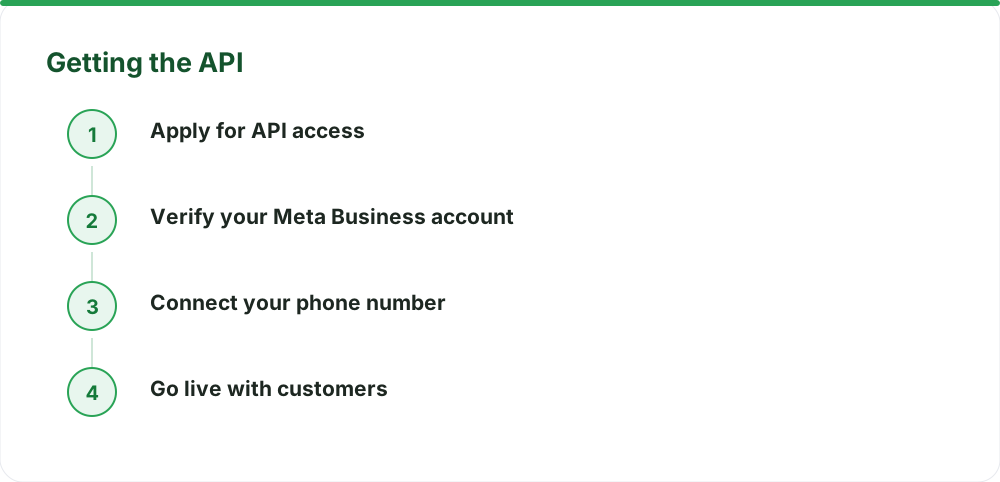
You're looking to use the official WhatsApp Business API for your Indian business. That's a smart move. It lets you scale customer communication far beyond the limitations of the regular app. Many businesses hit a wall during the approval process. They get rejected and wonder why. Often, it’s a simple oversight. This guide explains the most common rejection reasons for WhatsApp Business API approval and how to steer clear of them. The goal is simple: get your business verified and start connecting with customers on WhatsApp at scale.
The approval process, managed by Meta, checks if your business is legitimate and meets their policies. Most rejections stem from issues with the Meta Business Manager setup, incorrect documentation, or violating WhatsApp's commerce policies. Let's break down how to get your WhatsApp Business API setup right the first time.
Common Reasons for WhatsApp Business API Rejection
1. Incomplete or Incorrect Meta Business Manager Setup
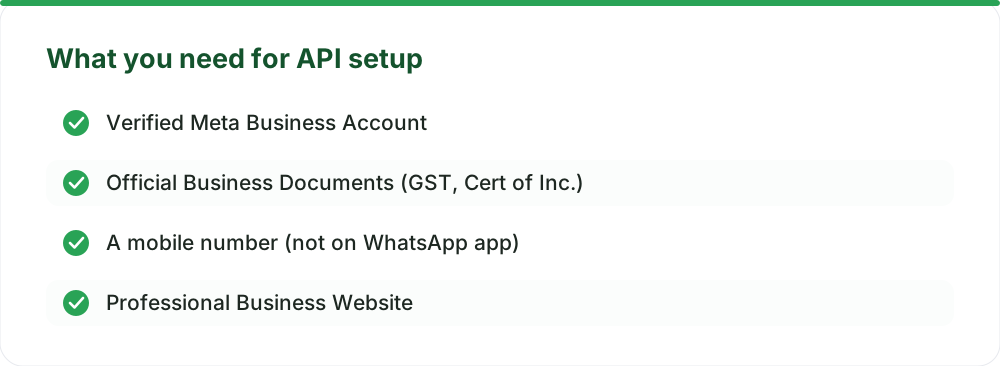
This is a major hurdle for many. Meta requires your business to be verified within their Meta Business Suite. This isn't just about adding your business name; it's about proving your business is real and legitimate.
Business Verification Failed: You need to provide official documents to verify your business. This could be your Certificate of Incorporation, GST registration certificate, or other government-issued IDs. Ensure the name and address on these documents exactly match what you've entered in Meta Business Manager. Any discrepancy, even a minor one, can lead to rejection.
Website Issues: Your business website is crucial. It needs to be live, professional, and clearly display your business name, contact information (address, phone number), and what you do. If your website is under construction, has broken links, or looks like a placeholder, Meta might reject your application. They need to see a solid online presence. A professional website builds trust and is a key indicator of a legitimate business.
Unclear Business Description: When setting up your Meta Business Manager, you'll describe your business. Be specific and honest. Vague descriptions like 'we sell products' won't cut it. Clearly state your industry, what you offer, and your target audience. This clarity helps Meta understand your business model.
2. Violating WhatsApp Commerce Policies
WhatsApp has strict rules about what businesses can sell and how they can interact with users. Your application can be rejected if your business model or intended use of the API falls into a prohibited category.
Prohibited Products/Services: WhatsApp prohibits the sale of certain items and services. This includes illegal products, recreational drugs, tobacco, alcohol (in certain contexts), weapons, live animals, and adult products. Services related to gambling, dating, or offering miracle cures are also often rejected. Always check the latest WhatsApp Commerce Policy for an up-to-date list.
Misleading Claims or Practices: Your business must not engage in deceptive or misleading practices. This includes making false claims about your products or services, or using tactics that trick users into interacting with your business. Honesty and transparency are key.
Unsolicited Messaging: While the API allows for bulk messaging (broadcasts), it must be done responsibly. Sending messages to users who haven't opted-in or expect to hear from you can lead to policy violations and rejection. Ensure you have clear opt-in mechanisms for all communications.
3. Incorrect Phone Number Usage
The phone number you choose for your WhatsApp Business API is critical. It's your direct line to customers on the platform.
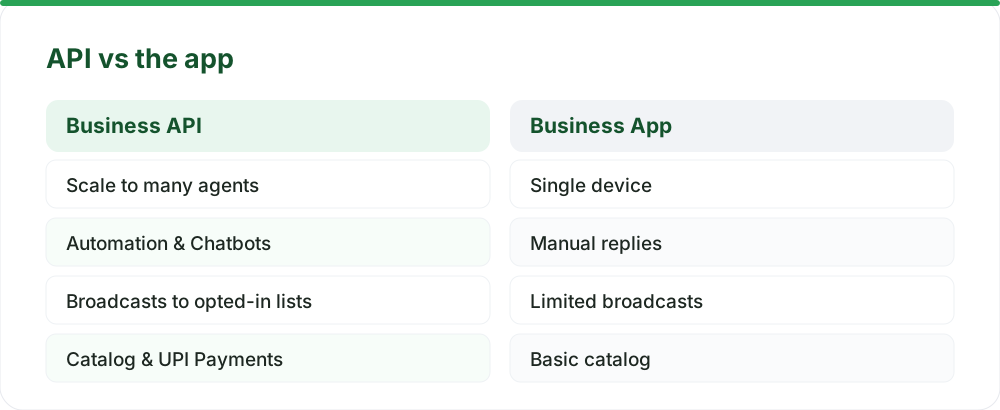
Number Already in Use: The phone number cannot be active on the standard WhatsApp app or the WhatsApp Business app. If you want to use your existing number, you'll need to migrate it. This process is straightforward but requires careful attention to avoid losing chat history. You can learn more about how to migrate your WhatsApp number without losing chats.
VoIP Numbers: While some VoIP numbers might work, Meta generally prefers mobile numbers. Using a number that Meta flags as a VoIP number can sometimes cause issues during verification. It's best to use a dedicated mobile number for your API connection.
4. Inconsistent Business Information
Meta needs to see consistency across all platforms. If your business name, address, or contact details differ between your website, Meta Business Manager, and any other official records, it raises a red flag.
Mismatching Details: Ensure your legal business name, registered address, and contact information are identical everywhere. This builds trust and verifies your business's legitimacy. Consistency is key for Meta's verification process.
5. Incomplete or Missing Documentation
This ties back to Meta Business Manager verification. You need to upload the right documents that prove your business's existence and legitimacy.
Lack of Supporting Documents: Submitting an application without the required proof of business registration, licenses, or other relevant permits can lead to immediate rejection. Always refer to Meta's checklist for the specific documents needed for your region and business type. You can find detailed requirements in our guide on WhatsApp Business API: Meta's Document Checklist for Verification in India.
How to Ensure Your WhatsApp Business API Approval
Avoiding these rejection reasons is mostly about preparation and attention to detail. Here’s a checklist to help you get approved smoothly:
- Get Your Meta Business Manager Right: Start by setting up your Meta Business Manager correctly. Complete all verification steps thoroughly. Upload clear, legible copies of your official business documents. Ensure your business name and address are exact matches.
- Polish Your Website: Make sure your website is professional, functional, and up-to-date. It should clearly state who you are, what you do, and how customers can reach you.
- Understand and Adhere to Policies: Read the WhatsApp Commerce Policy carefully. Be honest about your business activities and ensure you are not offering prohibited products or services.
- Choose the Right Phone Number: Use a dedicated mobile number that is not currently active on the regular WhatsApp app. If migrating, follow the steps carefully.
- Be Consistent: Ensure all business information across your website, Meta Business Manager, and official documents is identical.
- Prepare Your Documents: Have all necessary legal and business registration documents ready before you start the application process.
What About the Green Tick Verification?
The green tick or official badge is different from API approval. API approval means you can use the platform. The green tick signifies that WhatsApp has verified your business is authentic and notable. It's a separate process managed by Meta, and it can take anywhere from a few days to a couple of weeks. No provider can speed this up. Getting the green tick requires a strong brand presence and consistent media coverage. While not mandatory for API usage, it adds significant credibility. You can learn more about the nuances of WhatsApp green tick verification in India and what it truly takes.
How WaZappy Helps with API Approval
Navigating Meta's requirements can be complex. At WaZappy, we understand these challenges. As a Meta Tech Provider, Infrared Techno has helped countless Indian businesses get set up smoothly on the official WhatsApp Business Platform (Cloud API). Our platform is built with Indian businesses in mind, offering features like a no-code flow builder to automate responses, AI chatbots for instant replies, and integrated UPI payments for seamless transactions. We streamline the process, guiding you through the Meta Business Manager setup and documentation requirements.
Ready to bypass the hurdles and start communicating effectively? Start free on WaZappy.
Frequently asked questions
How long does WhatsApp Business API approval take?
Once your Meta Business Manager is verified and all documents are in order, most businesses are live on the WhatsApp Business API the same day. The Meta verification step itself can take a few hours to a couple of days, depending on Meta's review queue.
Is there a setup fee for WhatsApp Business API?
There is no setup fee required by Meta or WaZappy. An optional assisted setup service is available for a one-time fee of ₹2,499 + GST if you need help with the technical configuration. This fee is charged once and covers expert assistance.
Can I use my existing WhatsApp number for the API?
Yes, you can migrate your existing WhatsApp number (from the personal or Business app) to the WhatsApp Business API. The number must not be active on either app when you initiate the migration. Ensure you follow the correct migration procedure to avoid data loss and ensure a smooth transition.
What to do next
Double-check your Meta Business Manager details and ensure all your business documents are accurate and readily available. Understand WhatsApp's commerce policies thoroughly before applying. With careful preparation, your WhatsApp Business API approval in India should be a smooth process.
Read next
All WhatsApp Business API guides →Navigating WhatsApp Business API Pricing in India from October 1, 2026
Meta is changing WhatsApp Business API pricing in India from October 1, 2026. Understand new charges for service, utility, and AI messages, and how to optimize your costs.
Is the WhatsApp Business API Free in India? Meta vs. Provider Costs Explained
Understand the true cost of the WhatsApp Business API in India. Learn about Meta's conversation-based charges, provider fees, and how platforms like WaZappy offer value without hidden markups.
WhatsApp Business API Pricing in India — What You Actually Pay in 2026
Confused about WhatsApp Business API costs in India for 2026? Understand Meta conversation charges, platform fees, and how WaZappy provides clear, predictable pricing for your business.
Want this on your WhatsApp?
WaZappy is the WhatsApp Business API platform with every advanced feature built in — start free and connect your number in minutes.
Start free on WaZappy